Every year, hundreds of workers suffer severe injuries—or worse—because machinery was accidentally re-energized during maintenance. The root cause? A missing or improperly used lockout tag out form. This simple document isn’t just paperwork—it’s a legal and operational safeguard that ensures no one is exposed to unexpected startup or release of hazardous energy.
For facility managers, safety officers, and maintenance teams, the lockout tag out form is the final checkpoint before work begins. It confirms that energy sources are isolated, locks are applied, and everyone involved knows the status of the equipment. Without it, even the most robust safety protocols fall apart.
Let’s break down what makes this form indispensable, how to design one that works in real-world conditions, and where most organizations fail—despite having a template in place.
What Is a Lockout Tag Out Form?
A lockout tag out form is a standardized document used during maintenance or servicing of machinery to verify that all energy sources—electrical, hydraulic, pneumatic, chemical, thermal, or mechanical—have been isolated and secured. It serves as both a procedural guide and a legal record that safety protocols were followed.
Unlike general safety checklists, the LOTO form is task-specific. It documents: - The type of equipment being serviced - Energy sources identified and controlled - Locks and tags applied (with IDs) - Names of authorized employees - Time of isolation and expected completion - Verification steps taken
It’s not a one-size-fits-all document. A form used for locking out a conveyor belt in a warehouse will differ from one used on a high-pressure boiler in a chemical plant.
Real-World Example
At a mid-sized manufacturing plant, a technician began clearing a jam in a packaging line. The machine appeared off, but the main disconnect hadn’t been locked out. A coworker, unaware of the maintenance, restarted the system remotely. The result: a crushed hand and a $280,000 OSHA fine.
An up-to-date LOTO form—signed, visible, and enforced—would have prevented both.
Why the Form Matters More Than the Lock
Many companies focus heavily on distributing locks and tags but treat the form as an afterthought. That’s backwards. The physical lock prevents operation, but the form ensures accountability, communication, and compliance.
Here’s why: - Traces responsibility: Who applied the lock? Who verified zero energy? - Supports shift changes: New personnel can see what’s locked and why. - Provides audit trail: Essential during OSHA inspections or incident investigations. - Reduces miscommunication: Prevents assumptions like “I thought someone else locked it.”
Without the form, you’re relying on memory and verbal handoffs—two of the weakest links in safety systems.
Key Components of an Effective LOTO Form
A poor form creates confusion. A strong one guides users through the process without gaps. Every effective lockout tag out form should include:
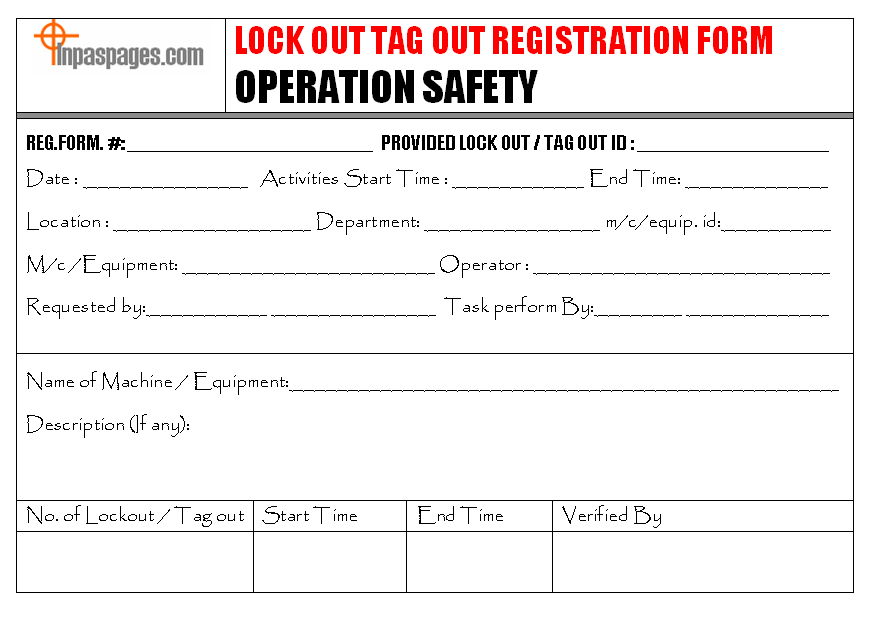
1. Equipment Identification Clearly state the machine name, ID number, and location. Avoid vague terms like “north conveyor” — use “Conveyor Line 4B (Fill Station 2).”
2. Energy Source Inventory List every potential energy source:
- Electrical (main disconnect, capacitors)
- Hydraulic (reservoirs, accumulators)
- Pneumatic (compressed air lines)
- Mechanical (springs, gravity-fed systems)
Each must be addressed in the lockout steps.
3. Authorized Personnel Section Names and employee IDs of those applying locks and performing work. Only authorized employees (per OSHA 1910.147) should sign.
4. Lock and Tag Log A table listing:
- Lock ID number
- Employee name
- Type of energy isolated
- Time applied
This allows for quick verification during audits or emergencies.
5. Verification of Zero Energy A checklist confirming that testing was done (e.g., “Tested circuit with multimeter,” “Relieved hydraulic pressure via bleed valve”).
6. Duration and Release Authorization Expected completion time and a section for supervisor approval before re-energizing.
Common Mistakes That Undermine LOTO Forms
Even companies with forms in place often fall into these traps:
❌ Using Generic Templates A copy-pasted form from the internet rarely fits your equipment. If it doesn’t reflect your actual machines and energy sources, it’s worse than useless—it creates a false sense of compliance.
❌ Allowing Blank or Unsigned Sections Incomplete forms are non-compliant. A technician skipping the verification step because “it’s obvious” defeats the purpose.
❌ No Training on Form Use If workers don’t understand why each field matters, they’ll treat it as a checkbox exercise.
❌ Failing to Update for Equipment Changes Modified machinery or new energy sources require updated forms. Relying on a 3-year-old document is a compliance risk.
❌ Storing Forms Digitally Without Access If the maintenance team can’t print or view the form at the machine location, it’s not usable during critical moments.
Digital vs. Paper LOTO Forms: What Works Best?
The shift toward digital safety systems has brought electronic LOTO forms into play. But which approach wins in real-world settings?
| Factor | Paper Forms | Digital Forms |
|---|---|---|
| Accessibility | Always available, no power needed | Requires device and network |
| Audit Trail | Hard to track revisions | Timestamps, user logs, cloud backup |
| Error Reduction | Prone to missing fields | Mandatory fields, auto-validation |
| Integration | Standalone | Can sync with CMMS or EAM systems |
| Training Support | None built-in | Can embed videos or prompts |
Verdict: For small operations or areas with limited tech access, paper works—if rigorously managed. For larger facilities, digital forms integrated with maintenance software reduce errors and improve compliance tracking.
Still, technology doesn’t replace discipline. A poorly designed digital form used inconsistently is no better than a crumpled paper one in a toolbox.
5 Top Tools for Creating and Managing LOTO Forms
While OSHA doesn’t mandate specific software, using purpose-built tools improves consistency and compliance. Here are five proven platforms:
1. EHS Insight
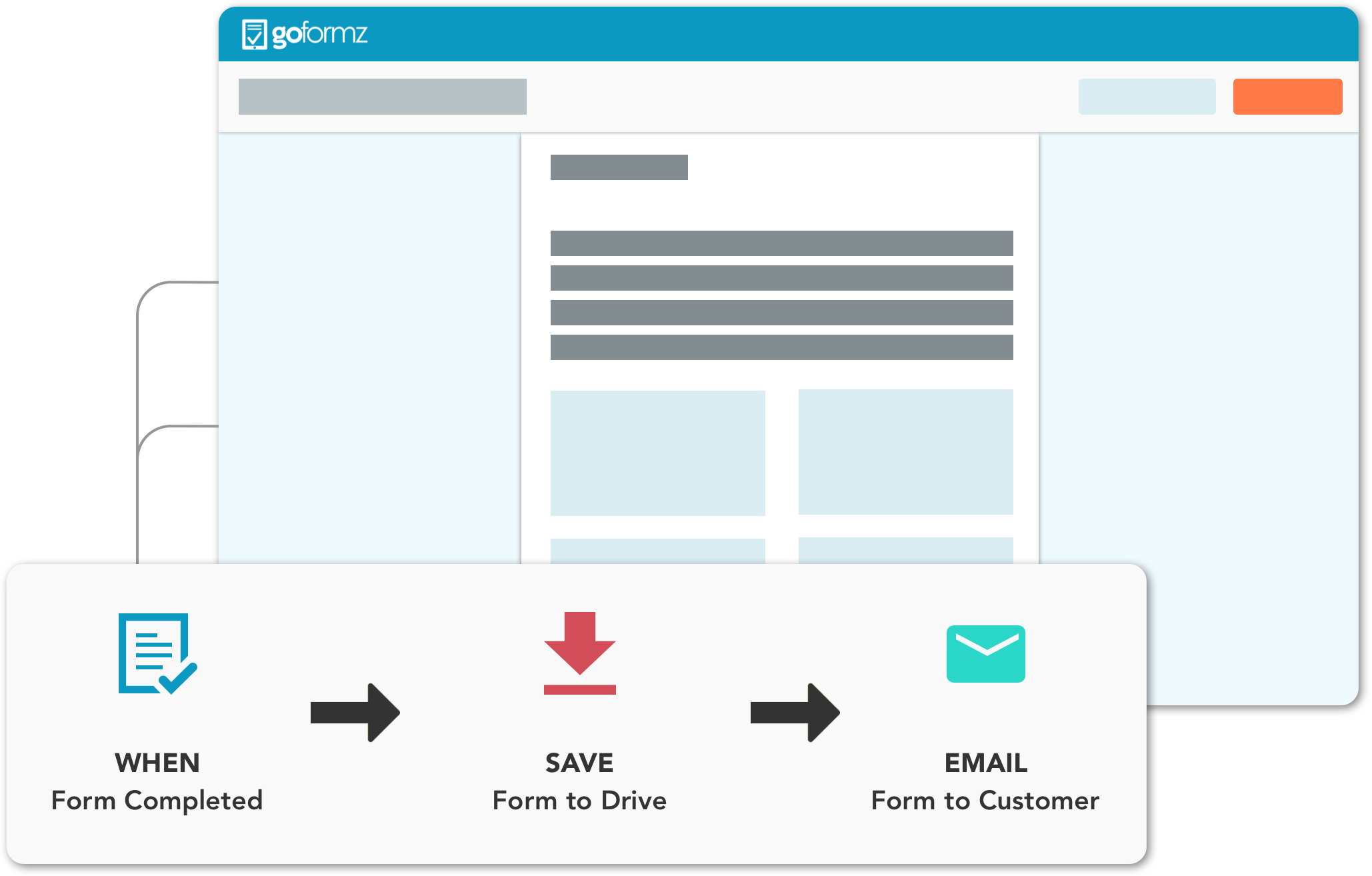
- Cloud-based safety management system
- Customizable LOTO form builder with digital signatures
- Integrates with incident reporting and training modules
- Best for: Mid to large enterprises needing full EHS coverage
2. Foster Web’s LOTO Module
- Built specifically for lockout tag out programs
- Mobile-friendly forms with photo attachments
- Auto-generates audit reports
- Best for: Manufacturing and industrial facilities
3. iAuditor by SafetyCulture
- Highly flexible inspection app
- Use pre-built LOTO templates or create your own
- Real-time data from the field
- Best for: Teams wanting quick deployment and mobile access
4. ProcessMAP (by Intelex)
- Enterprise-grade EHS platform
- Advanced workflow routing for approvals
- Full compliance tracking with OSHA standards
- Best for: Regulated industries (pharma, energy)
5. ClickHome Plus
- Field service and maintenance focus
- LOTO forms linked directly to work orders
- Offline mode for remote sites
- Best for: Maintenance teams managing multiple locations
Choose based on your workflow—not features. A simple form in a reliable system beats a complex one no one uses.
How to Implement a LOTO Form System That Sticks
Creating a form is step one. Getting it used correctly is the real challenge.
1. Start with a Site-Specific Audit Walk through each machine. Document every energy source. Involve maintenance staff—they know where the hidden risks are.
2. Co-Design Forms with Workers Involve technicians in form creation. They’ll spot impractical fields and suggest improvements.
3. Train on Purpose, Not Procedure Don’t just teach “fill out the form.” Explain what happens when it’s skipped. Share real incident stories—yours or from OSHA reports.
4. Audit Weekly, Not Annually Random checks during maintenance reveal compliance gaps. Use findings to coach, not punish.
5. Integrate with Permit-to-Work Systems Link LOTO forms to work permits. No approved form? No work authorization.
Real Use Case: How a Brewery Avoided Disaster
At a craft brewery in Oregon, a valve on a pressurized fermentation tank needed repair. The technician followed procedure: isolated the gas line, drained pressure, applied his lock, and filled out the LOTO form.
Later, a supervisor noticed the form was incomplete—missing verification of zero pressure. He halted the job. On recheck, residual CO2 was found in a secondary line. One wrong move could have ruptured the valve.
Because the form was scrutinized, a near-miss became a training win. The brewery now uses LOTO form reviews as part of its monthly safety drills.
Don’t Let Complacency Kill the Process
The most dangerous time in any maintenance cycle is when nothing has gone wrong—for months. That’s when shortcuts creep in: “We’ve done this 50 times,” “It’s just a quick fix,” “The lock is enough.”
But energy doesn’t care about your track record. A properly used lockout tag out form is the only thing standing between routine maintenance and catastrophe.
Design it right. Train on it thoroughly. Audit it relentlessly. And never let it become just another piece of paper.
Frequently Asked Questions
What is the difference between a lockout tag out form and a checklist? A checklist guides general safety steps. A LOTO form is a legal, task-specific document that verifies energy isolation, accountability, and verification.
Who should fill out the LOTO form? Only authorized employees trained in energy control procedures should complete and sign the form.
Can a digital LOTO form be used during an OSHA inspection? Yes, if it’s secure, tamper-proof, and includes all required elements like signatures and timestamps.
How long should completed LOTO forms be kept? OSHA recommends retaining them for at least one year for audit and incident investigation purposes.
Do all machines need a unique LOTO form? Yes, if energy sources or isolation steps differ. Similar machines may share templates, but each lockout event requires a completed form.
What happens if a LOTO form is missing during maintenance? It’s a serious OSHA violation. The work is considered non-compliant, and fines can exceed $100,000 per incident.
Can multiple people use the same form during group lockout? Yes, but each authorized worker must apply their lock, sign the form, and verify isolation independently.
FAQ
What should you look for in Lockout Tag Out Form: Why It’s Critical for Safety Compliance? Focus on relevance, practical value, and how well the solution matches real user intent.
Is Lockout Tag Out Form: Why It’s Critical for Safety Compliance suitable for beginners? That depends on the workflow, but a clear step-by-step approach usually makes it easier to start.
How do you compare options around Lockout Tag Out Form: Why It’s Critical for Safety Compliance? Compare features, trust signals, limitations, pricing, and ease of implementation.
What mistakes should you avoid? Avoid generic choices, weak validation, and decisions based only on marketing claims.
What is the next best step? Shortlist the most relevant options, validate them quickly, and refine from real-world results.